top of page
MAG TUTORIAL
You want to install our service with MAG versions ?
We can help you with a detailed step by step tutorial
All you have to do is follow this step by step tutorial !
And in case you struggle we can help all you have to do is contact support and we will help you set up the service !
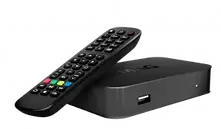
How to Install on MAG ?
Install IPTV on MAG devices
1: When The Box Is Being Loaded The Main Portal Screen Appears. After That Click On “Settings”, Press Remote Button “SETUP/SET”.
2: Then Press On “System Settings” And Click On “Servers”.
3: Select “Servers”.
4: Over There, Select The “Portals” Option.
5: Within The Portal Menu, You Will Be Able To Add Or Change The Portal URL. You Can Write Any Name In The Portal 1 Box. For Portal 1 URL You Need To Enter The Portal Address Which you will receive from OsirisVision team via chat or e-mail.
Now, Go Back To The System Settings And Click On The Restart Portal Option.


bottom of page